Apple Pay
Apple Pay has been available in Ireland since March 2017, letting you store your bank cards in Apple Wallet and pay with your iPhone or Apple Watch in seconds. If you’re new to it, this guide explains what Apple Pay is, how it stays secure, how to set it up, and what to do if something goes wrong.
Technology Definition: What is Apple Pay and How Does Apple Pay Work?
How Apple Pay Uses NFC and Tokenization to Provide a Digital Wallet
First of all, what is Apple Pay? Well, the simplest answer is that it’s Apple’s digital payment system, a tool that allows you to make contactless payments using Apple devices like iPhones, Apple Watches, iPads and Macs. But how does Apple Pay work?
As part of Apple Wallet, the goal is for it to replace your physical bank cards and offer a higher level of security. It does this through tokenization, which essentially works by using encryption and other techniques to avoid your card details being stored either on your device or on Apple’s servers.
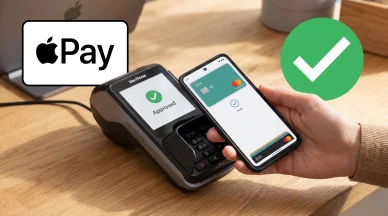
Use Apple Pay for contactless payments on iPhone
When you sign up for Apple Pay, you’re given a Device Account Number, and whenever you go ahead and make a payment, your device will create a one-time transaction code. Your payments can then be authenticated by Face ID, Touch ID, or simply your device’s passcode.
Face ID, Encryption and Other Security Features
Some people worry about security when it comes to Apple Pay, but the truth is that it’s one of the most secure methods there is to make a payment. It comes with a number of key measures to keep your money safe, including the ability to authenticate your payment using biometric data, such as your face or your fingerprint.

iPhone — Face ID Data
Because your card details are never stored on your device or Apple’s servers, it ensures that your transaction details remain private, and two-factor authentication prevents anyone else from accessing your payment details.. That makes it much safer than physical cards, because criminals can’t clone your magnetic stripe and no payment can be made without user authentication.
Setup and Compatibility for Apple Pay on iPhone
When you’re ready to set up Apple Pay on iPhone, you can get started by opening the Apple Wallet app, tapping the plus icon (+) and clicking “Add Credit or Debit Card”. You’ll then need to scan your card with your phone’s camera or enter the details manually.
Once that’s done, you’ll be required to verify your card with the bank, usually via an SMS, an email or within the bank’s app, if it’s available on your device. Once you’ve verified the card, you’re good to go ahead and start using it.
Bear in mind that your phone supports multiple cards and you can use those cards on multiple devices. You can also set your default card so that you always make payments with your main card. Apple Pay is available on iPhone 6 and newer models running iOS 8.1+, Apple Watch, iPad Air 2/mini 3+ and Mac with Touch ID for online payments.
Usage Guide: How to Use Apple Pay for Paying in Ireland
Using Apple Pay at an In-Store POS Terminal
Now that Apple Pay is set up on your device, you’re probably wondering how to use Apple Payin-store. The good news is that it couldn’t be easier.
If you’re using an iPhone with Face ID, you simply double-click the side button, look at the screen to authenticate yourself and then hold it near the contactless reader. To use Touch ID, you hold your device near the reader and rest your finger on the Touch ID button. Apple Watch is similar, too. You’ll need to double-click the side button and hold it near the reader.
This works on most terminals, and it’s super simple to do and will quickly become second nature. There’s no need for you to open the app first, and it’s much faster than it is to use chip and PIN. Just hold your Apple Pay device close to the terminal until it vibrates and you see an on-screen checkmark to confirm that the payment has gone through.
Online and In-App Payments with Apple Pay
Apple Pay can also be used when shopping online, especially if you happen to use Safari, which Apple owns. All you need to do is select the Apple Pay button on supported websites, then confirm with either Face ID or Touch ID. You should receive confirmation once the payment is complete. You can often use Apple Pay within apps, too. Again, tap the icon and authenticate to carry out your purchase.

How to set up and use Apple Cash
The great thing about doing this is that it allows your shipping and billing details to be automatically filled out. It’s faster than manually entering your information and there’s no need for you to share your card details with merchants. What’s not to like?
Apple Pay Ireland: The Banks They Support
At the time of writing, Apple Pay Ireland support is fairly widespread, with a number of major Irish banks and financial providers, including the following:
- AIB (Allied Irish Bank)
- An Post Current Accounts
- Bank of Ireland
- Bunq
- Credit Union Current Accounts
- Curve
- N26
- PTSB (Permanent TSB)
- Revolut
- Wise
As you can see, some of these providers are traditional banks, while others are digital providers. The most notable exception is EBS, but even with that in mind, most people in Ireland are able to use it with one of their cards. Visa, Mastercard and American Express credit and debit cards are all supported, along with some prepaid cards from fintech providers.
Apple Pay: Transaction Limits and Charges
Contactless Limits
Throughout Ireland, there’s a standard limit of 50 euro per transaction for physical cards, which means that if you want to pay for something that’s more expensive than that, you’ll have to use chip and PIN. That’s not the case when it comes to Apple Pay Ireland, though.
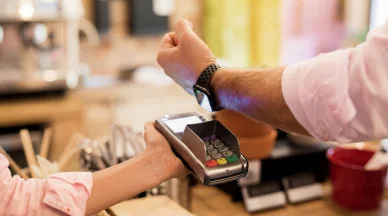
Apple Pay is available for Bank of Ireland customers
With Apple Pay, those limits are lifted, although not all terminals support those higher limits. In fact, as long as the transaction is authenticated with Face ID, Touch ID or a passcode, there’s no upper limit for Apple Pay itself. The only limits are the card’s available balance and any restrictions that are put in place by the terminals and the merchants themselves.
Costs and Bank Fees
The first thing to acknowledge here is that Apple Pay is completely free to use, with no fees or charges from Apple for the payments that you make through the service. Any charges that do take place are because of the banks, and they’re generally only the same as you’d expect if you paid with your physical card.
For example, both AIB and Bank of Ireland charge 1 cent per contactless transaction, whether you’re using Apple Pay or whether you’re using your physical card. There can also be charges for making foreign currency purchases.
Apple Pay Acceptance in Ireland
Apple Pay is widely accepted by merchants throughout Ireland, which is one of the reasons why so many people rely on it for their everyday purchases. Major retailers that accept it include supermarkets like Tesco, SuperValu and Dunnes, as well as restaurants, pubs, cafes, public transport providers and petrol stations, but even the smallest corner shops often accept it.
In fact, you’ll find that the majority of Irish payment terminals automatically support Apple Pay, because no special hardware is needed. As long as a terminal accepts contactless payments, it can accept Apple Pay. Even taxis are getting in on the game.
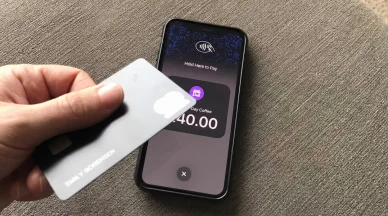
Tap to Pay in Ireland
As usual, there’s an easy way to find out if a retailer accepts Apple Pay. You can either ask them or you can look out for Apple Pay symbols by the checkout.
Common Problems and Solutions for Apple Pay
Most people find that Apple Pay works just fine, but with so many people using it to pay for their shopping, it’s no surprise that issues crop up from time to time. Some of the most common troubleshooting tips and fixes include:
- Card not supported: Check with your bank to see if it’s compatible.
- Verification failed: Contact your bank for assistance.
- Device not compatible: Make sure you’re using a supported device with the latest version of iOS.
- Payment declined: Check you have enough funds in your account and that your card hasn’t expired.
If in doubt, you can try restarting your device, removing and re-adding your card or trying a different terminal. It’s also not a bad idea to switch from Face ID to Touch ID or vice versa, and you’ll also have the choice of trying to authenticate with your passcode.
Tips for Irish Users
The tips and tricks we’ve shared in today’s guide should have helped you to set up Apple Wallet and to use Apple Pay for contactless payments throughout Ireland. Let’s go ahead and take a look at a quick summary.
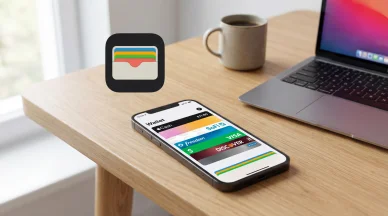
Apple Wallet is a digital wallet developed by Apple Inc
Apple Pay is available on iPhone, Apple Watch, iPad and Mac through Apple Wallet, and it’s been available in Ireland since March 2017. It uses tokenization and NFC communication to allow users to pay for products without ever having to share their financial details with merchants.
It’s easy to set up, and it’s supported by most major banks and financial institutions in the country, with EBS marking the most notable exception. It allows you to make payments for amounts that are far greater than the regular 50-euro standard for contactless payments, and no additional charges apply other than what your bank would charge you anyway for using your card.
And so with all of this in mind, what are you waiting for? Take this as your sign to get started with Apple Pay today!